
Table of Contents
Why SMBs Need a Specific Zero Trust Implementation
Small and medium-sized businesses (SMBs) face unique cybersecurity challenges due to limited budgets, smaller teams, and less structured IT infrastructure compared to large enterprises. Cyber threats do not discriminate based on business size, and attackers increasingly view SMBs as easy targets. Zero Trust SMB implementation specifically addresses these challenges by providing scalable, cost-effective, and manageable security solutions tailored for smaller organizations.
Many SMBs mistakenly assume Zero Trust security is too complex or expensive for their needs. However, targeted implementations can simplify management, enhance security, and reduce risks significantly. Zero Trust principles help SMBs prioritize cybersecurity investments, enabling them to achieve robust security without overstretching their budgets.
Moreover, SMBs often lack dedicated cybersecurity personnel, which leaves them more vulnerable to sophisticated cyber-attacks. Implementing Zero Trust principles can help mitigate these risks by providing clear and actionable guidelines for enhancing their cybersecurity posture.
Key Concepts for Zero Trust SMB Implementation
Zero Trust SMB implementation leverages essential concepts to secure your business efficiently. It starts by verifying each user, device, and request continuously, removing implicit trust. Each access point is explicitly verified, significantly reducing potential breaches. This approach is particularly effective for SMBs dealing with hybrid or remote workforces, as remote access introduces additional vulnerabilities.
Another critical element is segmentation. By segmenting network access, SMBs can limit the impact of potential breaches. Continuous validation and monitoring of access ensure that only verified users and devices gain access to specific applications and resources.
Additionally, encryption is critical in protecting sensitive data both at rest and in transit. SMBs should integrate encryption solutions to ensure data integrity and confidentiality, significantly reducing the risk of data breaches and unauthorized access.
Benefits of Implementing Zero Trust Specifically for SMBs
Implementing Zero Trust specifically for SMBs brings substantial benefits. It significantly lowers the potential for internal and external breaches by eliminating over-privileged access. It also streamlines compliance management by consistently applying security controls across systems and applications, reducing audit complexity and time.
Additionally, SMB-focused implementations offer simplified management, clearer insights into network activity, and a cost-effective scaling strategy as the business grows. As SMBs expand, their cybersecurity needs become more complex, and Zero Trust provides a foundational framework that scales with growth, ensuring continuous protection.
Furthermore, adopting Zero Trust principles can enhance customer confidence. Businesses demonstrating a robust cybersecurity posture can differentiate themselves in competitive markets, reassuring customers and partners that their data and interactions are secure.
Step-by-Step Implementation Guide for SMBs
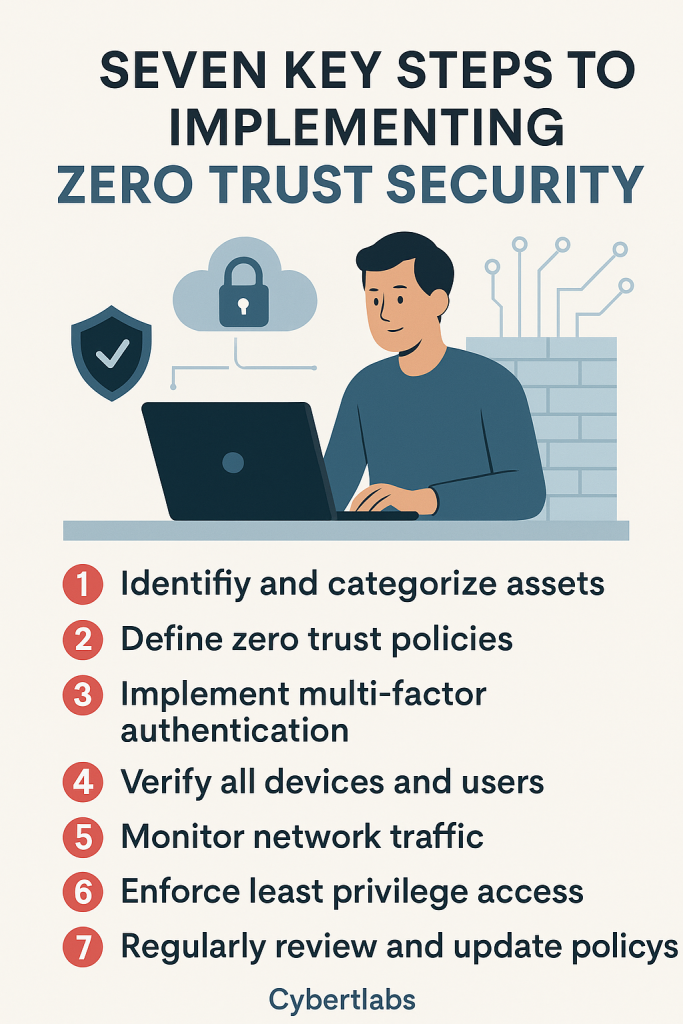
Step 1: Conduct a Comprehensive Asset Audit
Begin by thoroughly auditing your business environment. Catalog all devices, applications, and users, paying special attention to sensitive data and critical business applications. Understanding your current cybersecurity posture and identifying vulnerabilities or gaps forms the foundation for effective Zero Trust deployment. This initial step provides a clear snapshot, helping prioritize resources efficiently.
Step 2: Establish Clear Zero Trust Policies
With a clear inventory, define your Zero Trust policies explicitly. SMBs should implement a “least privilege” model, granting employees only necessary access. Conditional access policies should be based on user roles, device health, and contextual factors such as location and time. Clearly documented policies improve enforcement and simplify ongoing management.
Step 3: Centralize Identity Management
Centralized identity management simplifies and secures user authentication across all platforms. Solutions like Single Sign-On (SSO) and identity providers (Okta, Azure AD) help enforce policies consistently. Integrating identity management ensures easy control, simplifies auditing processes, and enables immediate revocation of access if necessary.
Step 4: Deploy and Enforce Multi-Factor Authentication (MFA)
MFA significantly reduces unauthorized access risks by adding an extra layer of verification. Ensure MFA is mandatory for all employees and integrates smoothly with existing platforms. Cost-effective solutions such as authenticator apps are ideal for SMBs, balancing robust security with affordability and ease of use.
Step 5: Implement Continuous Monitoring Tools
Continuous network monitoring is vital for detecting threats and anomalies in real-time. SMBs can use affordable SIEM (Security Information and Event Management) or endpoint detection tools to aggregate logs and swiftly flag suspicious activities, ensuring threats are managed proactively. This approach enables rapid response and minimizes potential damage from cyber incidents.
Step 6: Enforce Device Compliance and Endpoint Protection
Implement strict device compliance standards including antivirus software, regular patching, and encryption. Utilizing Mobile Device Management (MDM) tools helps enforce these policies and ensures only compliant devices can access business resources. MDM solutions simplify device management, reducing the risk posed by compromised endpoints.
Step 7: Train Your Workforce Regularly
Regular cybersecurity training is crucial to maintaining robust security. Training should include phishing simulations, awareness sessions, and incident response walkthroughs to foster a cybersecurity-aware culture. Continuous education helps employees recognize threats, reducing vulnerabilities caused by human error.
Additionally, ongoing education helps employees stay updated with evolving cyber threats, ensuring they remain vigilant and responsive to potential security incidents.
Overcoming Implementation Challenges
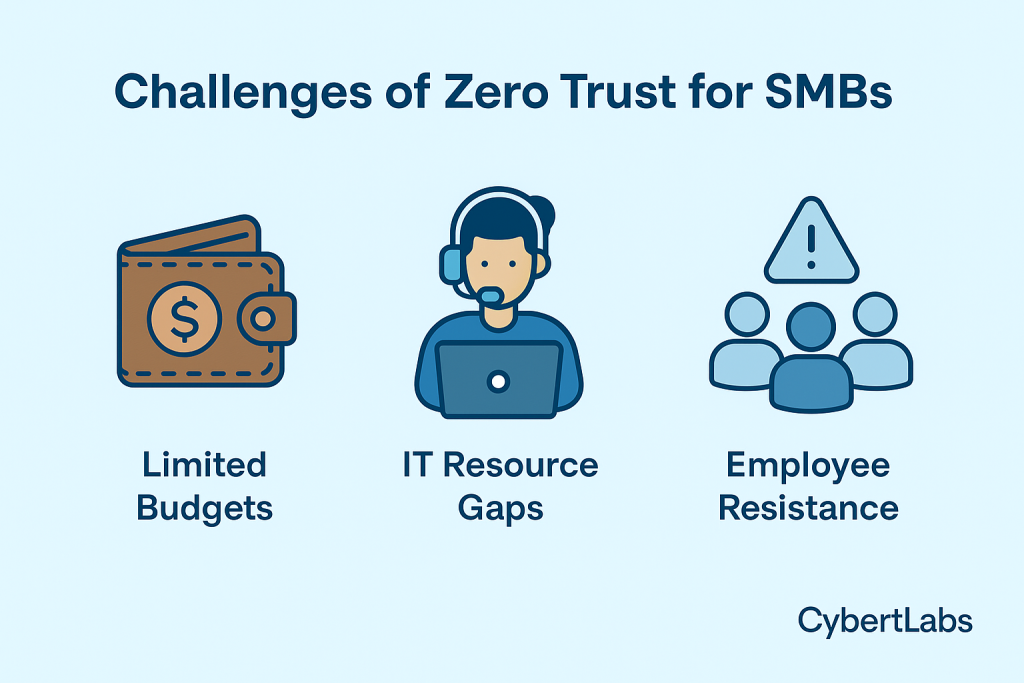
Zero Trust SMB implementation might face challenges such as budget constraints, limited technical resources, and user resistance. Budget constraints can limit an SMB’s ability to invest in comprehensive cybersecurity solutions upfront, but phased implementation can alleviate financial pressure by spreading costs over time. By breaking down the implementation into smaller, manageable phases, SMBs can systematically allocate resources without overstretching their budgets.
Limited technical resources pose another significant hurdle, as SMBs often lack dedicated cybersecurity personnel. To overcome this, SMBs should leverage user-friendly, intuitive cybersecurity tools specifically designed for organizations with smaller IT departments. Training existing IT personnel on these tools and gradually building cybersecurity competencies within the team can effectively address resource limitations.
User resistance is a common challenge, especially when new cybersecurity measures require significant changes in behavior or workflows. Fostering internal buy-in through clear communication about the tangible benefits of Zero Trust security is essential. This involves explaining how these measures protect sensitive data and reduce risks for both the company and individual employees. Additionally, engaging employees early in the implementation process through interactive training sessions, workshops, and open forums can significantly mitigate resistance and enhance overall adoption and compliance.
Recommended Tools for Zero Trust SMB Implementation
Choosing appropriate tools is essential. Solutions like Cloudflare Access, Twingate, and JumpCloud offer SMB-friendly pricing and easy integration. Cloudflare Access provides straightforward deployment for secure application access without traditional VPN complexities. Twingate emphasizes ease of use and minimal infrastructure changes, making it ideal for SMBs with limited technical capabilities. JumpCloud integrates identity management, MFA, and device management seamlessly, offering an all-in-one solution.
These tools facilitate secure access management, robust MFA implementation, and comprehensive device posture checks without extensive investments or significant disruption. Carefully selecting tools that align closely with your organization’s size, existing resources, and specific operational needs is key to successful and sustainable Zero Trust implementation.
Real-Life SMB Implementation Case Study
A mid-sized healthcare provider successfully implemented Zero Trust tailored specifically for SMBs. Initially facing common challenges like limited cybersecurity expertise and budget constraints, they began by auditing their existing security posture comprehensively. Recognizing gaps, they prioritized centralized identity management, deploying a Single Sign-On solution integrated with MFA. They also implemented continuous monitoring tools to detect and respond rapidly to anomalies and potential threats.
The phased rollout allowed the provider to manage costs effectively, gradually scaling up their security infrastructure. Regular staff training sessions and clear internal communication facilitated smooth adoption, significantly reducing user resistance. Within six months, they experienced a remarkable 60% reduction in security incidents and considerably improved compliance audit efficiency.
This successful implementation illustrates that a well-planned, phased approach tailored to SMB-specific constraints can yield measurable and substantial cybersecurity improvements. The provider also noted enhanced trust among their clients and partners, showcasing how Zero Trust implementation can become a competitive advantage for SMBs.
Conclusion and Next Steps
SMBs can no longer overlook the importance of a tailored Zero Trust implementation. By following this guide, your business can significantly enhance its cybersecurity posture. Consider scheduling a consultation with CybertLabs to explore your specific needs and get personalized recommendations.