
Why SMBs Need Zero Trust Security
Small and medium-sized businesses face increasing exposure due to cloud adoption, remote work, and advanced cyber threats. Traditional castle-and-moat defenses no longer suffice. Zero trust security ensures that no user or device is trusted by default—access is verified every time. With cyberattacks hitting 73% of SMBs in 2024, it’s no longer optional to assume internal users are safe.
Unlike large enterprises, SMBs often lack dedicated security teams, enterprise-scale budgets, or deeply layered defenses. However, they hold sensitive customer data, intellectual property, and payment information—all highly valuable to threat actors. The good news: Zero Trust can scale to any organization, no matter the size.
Core Principles of Zero Trust
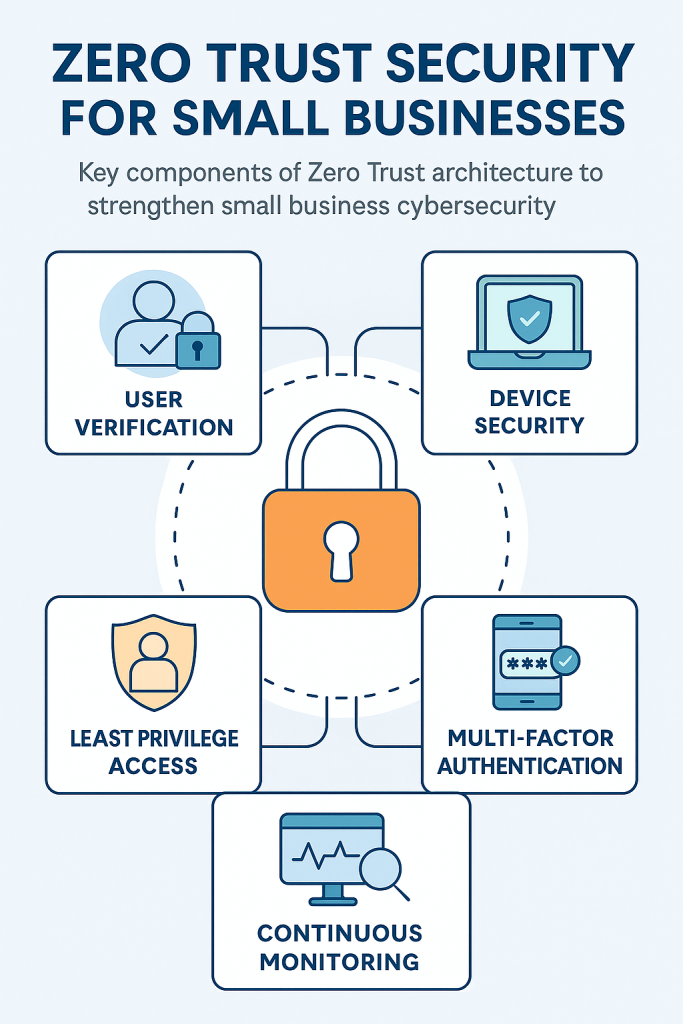
Zero Trust relies on five core principles that work together to build a resilient security posture. The first is to “never trust, always verify,” which means every user, device, or application must prove its legitimacy before gaining access. Rather than blanket permissions, Zero Trust enforces least privilege access, limiting users only to the resources necessary for their role. This minimizes the impact of potential breaches.
Continuous authentication and monitoring are also essential, ensuring security is enforced in real-time based on behavior and context, not just initial login. Micro-segmentation divides networks into smaller zones, so movement within the system is restricted and monitored. Finally, encrypting data in transit and at rest is critical to preserving the confidentiality and integrity of business-critical information. These principles align with the NIST SP 800-207 Zero Trust Architecture, which outlines the federal government’s formal Zero Trust guidance.
Essential Steps to Implement Zero Trust for SMBs
1. Assess Your Current Security Infrastructure
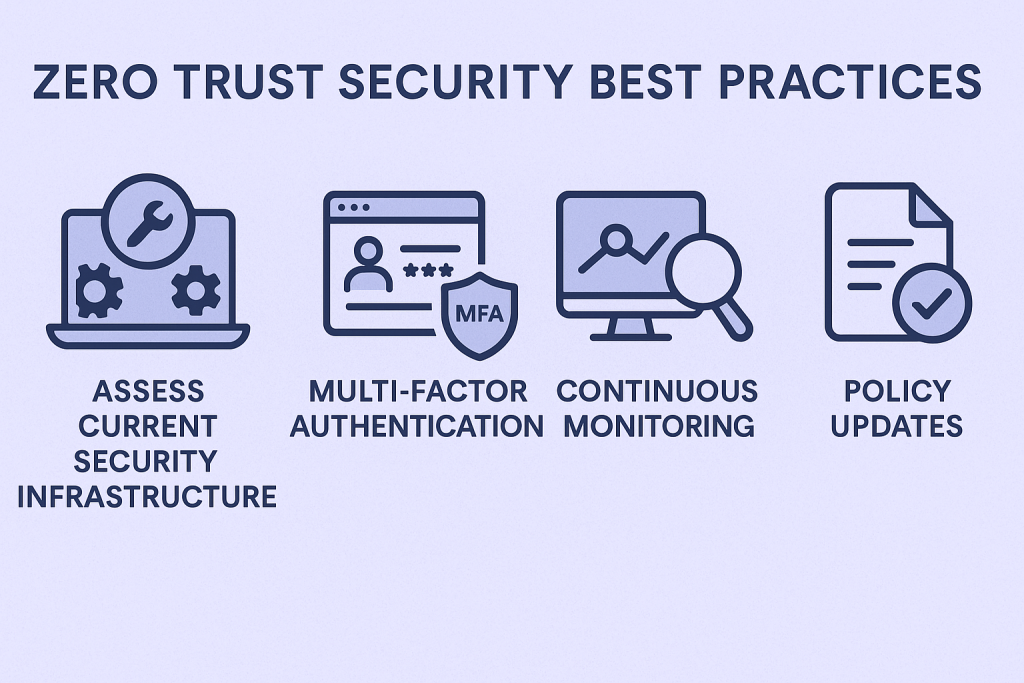
Before adopting Zero Trust, organizations must evaluate their existing security posture. This assessment includes creating a comprehensive inventory of all assets—hardware, software, users, and cloud services. It’s crucial to understand where sensitive data resides, how it flows, and who has access to it. SMBs should also evaluate their current remote access setup, such as VPNs, and determine the level of visibility they have over network activity.
This groundwork informs where gaps exist and helps prioritize which Zero Trust components to implement first.
2. Define Zero Trust Policies
Once you understand your environment, it’s time to develop policies that align with Zero Trust principles. Start by assigning the least privilege necessary to each user and system, ensuring that access is only granted based on business need. Establish clear rules for sensitive systems, and use contextual signals like time of day, location, or device health to inform access decisions.
Policies should also cover third-party access and include conditions for contractor or vendor systems. Ongoing policy reviews ensure that as your organization evolves, your Zero Trust posture keeps pace.
3. Deploy Multi-Factor Authentication (MFA)
Implementing MFA is one of the most effective steps toward Zero Trust. It adds an additional layer of defense beyond just usernames and passwords. For SMBs, this often involves using tools like authenticator apps, one-time passcodes, or biometric verification. MFA should be required for all users—especially those with administrative privileges.
To maximize protection, MFA should be integrated into your Single Sign-On (SSO) solution and identity providers like Azure AD or Okta, enabling seamless yet secure access across services.
4. Monitor Network Traffic Continuously
Visibility is a cornerstone of Zero Trust. Real-time monitoring helps detect unusual patterns before they escalate into serious incidents. SMBs can deploy endpoint detection and response (EDR) tools to analyze traffic and flag anomalies. Audit logs from cloud applications, devices, and servers should be aggregated into a central SIEM (Security Information and Event Management) platform.
This continuous feedback loop allows your IT team to respond rapidly to potential threats, reducing mean time to detect (MTTD) and mean time to respond (MTTR). Our DevSecOps consulting helps organizations integrate continuous monitoring into their CI/CD pipelines, aligning Zero Trust with agile development.
5. Train and Enable Your Workforce
Technology alone cannot secure a business. Employees play a vital role in a Zero Trust strategy. SMBs must create a culture of cybersecurity awareness, starting with regular training sessions on identifying phishing attacks, managing passwords, and understanding their responsibilities in maintaining security.
Interactive modules, simulations, and real-world scenarios help reinforce these practices. A workforce that understands and follows security protocols is one of the most effective defenses against cyberattacks.
Extending Zero Trust Network Access (ZTNA)
Traditional VPNs often give users too much access once inside the network. ZTNA replaces this model by connecting users directly to applications they are authorized to use, based on real-time evaluations of their identity, device health, and risk context. This drastically reduces the risk of lateral movement.
For SMBs, ZTNA tools are increasingly affordable and scalable. Solutions from providers like Cloudflare, Twingate, and Zscaler allow businesses to enforce dynamic access policies without the need for extensive infrastructure investments. Businesses should consult resources like the CISA Zero Trust Maturity Model to benchmark progress and guide implementation. The diagram below illustrates how Zero Trust Network Access (ZTNA) functions for SMBs, verifying users before granting application-level access:
Identity and Access Management (IAM) Integrations
Centralized identity is the backbone of Zero Trust. IAM systems should be connected to internal directories like Active Directory or cloud services like Azure AD or Google Workspace. This centralization allows administrators to apply consistent policies across all systems and services.
Role-based access control (RBAC) can be configured through IAM platforms, ensuring users only access resources relevant to their roles. SMBs without robust IAM systems can explore options like Okta or JumpCloud, which offer SMB-friendly pricing and functionality.
Device Posture Validation and BYOD Policies
Many SMB employees use personal devices for work, which increases risk if those devices are not properly secured. Enforcing device posture policies ensures that only compliant devices can access company systems. This might include checking for antivirus software, encryption, and the latest OS patches.
Mobile Device Management (MDM) tools help businesses enforce these standards. If a device is non-compliant—such as being jailbroken or outdated—access can be restricted or revoked until it meets policy requirements.
Implement Role-Based Access Control (RBAC)
RBAC provides a structured way to control access across an organization. Rather than granting permissions individually, businesses define roles—like HR, finance, or engineering—and assign users based on their responsibilities. This reduces the risk of overprovisioned access and makes it easier to onboard or offboard staff.
Regular reviews of access rights help identify unused accounts or unnecessary privileges that could become vulnerabilities. RBAC is a practical and scalable access control method for SMBs that are growing quickly or managing hybrid teams.
Continuous Review and Policy Updates
Zero Trust must evolve as your environment changes. A set-it-and-forget-it approach doesn’t work. Policies, device compliance rules, and user roles should be reviewed at least quarterly. Inactive accounts, unused applications, or stale permissions should be removed.
Additionally, threat intelligence and incident reports should inform updates to monitoring and access policies. Continuous improvement ensures your Zero Trust program remains aligned with real-world risks.
Benefits of Zero Trust for SMBs
Zero Trust offers SMBs an opportunity to implement enterprise-grade security strategies without breaking their budgets. By minimizing trust assumptions, Zero Trust dramatically reduces the attack surface. This leads to better resilience against phishing, insider threats, and credential-based attacks.
It also supports compliance with regulatory frameworks like NIST 800-207, HIPAA, or PCI DSS, by enforcing consistent access controls and improving audit readiness. With improved incident detection and containment, businesses respond faster to security incidents. Finally, customers and partners are more likely to trust a company that visibly invests in securing its operations.
Final Thoughts
CybertLabs offers expert Zero Trust services tailored for SMBs ready to take action. Cybersecurity threats are becoming more sophisticated and frequent. Whether a large enterprise or a growing small business, organizations must pivot from traditional perimeter-based security models to a more modern, robust approach. At its core, Zero Trust operates on a simple yet powerful principle: never trust, always verify.
By starting small, implementing controls incrementally, and educating your staff, Zero Trust becomes not only feasible for SMBs—but essential.